
Foundation: Galactic Frontier PC: Ways to Play and Specs
Foundation: Galactic Frontier PC guide: the official launcher, Steam, Google Play Games and Mac compared, system requirements, account sync and known issues.

Foundation: Galactic Frontier PC players can choose between three official Windows versions, and Mac owners with Apple Silicon have a fourth option, while FunPlus says progress is shared across Windows, iOS, Android and macOS on the same account. This Foundation: Galactic Frontier PC guide compares FunPlus's own launcher, Steam and Google Play Games on PC, lists the system requirements, and collects what players have reported about controls, the screen, account linking and antivirus warnings. Everything is as checked on November 17, 2026.
Ways to Play Foundation: Galactic Frontier on PC
The official website has a button for each version: App Store, Google Play, the Windows launcher and Mac. Here is how they differ.
| Version | Where to get it | Notes (November 2026) |
|---|---|---|
| Official PC launcher (Windows) | Windows button on the official site; it downloads Foundation.PC.V1.0.exe | Players say their mobile account works in it |
| Steam (Windows) | Steam store, app 4223760; launched in November 2026 | Needs a Google, Facebook or Discord account; players can't log into an existing mobile account yet |
| Google Play Games on PC (Windows) | Google Play lists the game as "Available on Android, Windows" | Google Play's event card says "Now Available on Google Play Games on PC!" |
| Mac | The App Store's Mac version, linked from the official site | Requires macOS 12.0 or later and a Mac with an Apple M1 chip or later |
The official site marks the Mac build "Available for Mac With Apple Silicon", and Steam only offers a Windows build. A review video recorded on a MacBook made the point that the native app means you don't need BlueStacks to play on a computer; the reviewer still played mostly on a phone, away from the computer.
FunPlus's FAQ describes cross-platform play and shared progression across all four systems. One difference a YouTube creator pointed out is the layout: the PC version is landscape, while mobile is portrait.
Official Launcher or Steam: Which to Use
The official Foundation: Galactic Frontier PC launcher has been around since before the Steam launch. A player on the Steam discussions wrote on February 27, 2026 that they played through the direct download from the game's website because the game wasn't on Steam yet, and reported freezes, connection issues and times they couldn't log in. On November 7, 2026, another player said the Windows app was crashing a lot and that they had been hoping for the Steam version, then were disappointed by its account problem.
The Steam version, out since November 2026, has Steam reviews and 34 Steam achievements, but two problems came up in its first weeks. Players moving from mobile can't log into their existing account in the Steam client, and players reported their antivirus (Kaspersky and Sophos were named) flagging a file called NEP2.dll in the Steam install folder. A player who compared the two installs found NEP2.dll and NEPDaemon.exe in the Steam version but not in the standalone Windows client. More on both in our Foundation: Galactic Frontier Steam page.
| Official launcher | Steam | |
|---|---|---|
| Where from | Official website | Steam store page |
| Download size | Around 5GB, according to an install guide video | 8 GB of storage required by the store |
| Existing mobile account | Works, according to players (November 2026) | No login option for it yet, according to players (November 2026) |
| Files flagged by antivirus | None reported in the Steam threads we read | NEP2.dll, reported from November 7, 2026 |
If you already play Foundation: Galactic Frontier on a phone and want the same character on your computer, players' reports point to the official launcher for now. If you are starting from scratch, Steam's login problem matters less, though one player couldn't link a new Steam account to their Google or Facebook account later; our Steam account page explains the login problem in detail.
Foundation: Galactic Frontier PC System Requirements
The Steam store page lists these Foundation: Galactic Frontier PC system requirements; the official site doesn't publish any for its launcher. The recommended specs on Steam don't add anything beyond a 64-bit processor and operating system.
| Component | Windows minimum (Steam store) | Mac (App Store) |
|---|---|---|
| Operating system | Windows 7 SP1 or better, 64-bit required | macOS 12.0 or later |
| Processor | Intel Core 2 Duo E6400 or AMD Athlon x64 4000+ | Apple M1 chip or later |
| Memory | 4 GB RAM | Not listed |
| Graphics | Nvidia GeForce GTX 460 or Radeon HD 4400 or better | Not listed |
| DirectX | Version 10 | — |
| Storage | 8 GB available space | 4 GB (size on the App Store listing, not given per device) |
| Network | Broadband internet connection | Not listed |
Steam shows the Steam Deck compatibility of Foundation: Galactic Frontier as Unknown, and one player complained on November 10, 2026 that the game doesn't work with the Steam Deck's touch screen.
Controls, Screen and Known PC Issues
These come from FunPlus's update notes and from players' reports:
- Keyboard shortcuts: version 1.1.154 (September 24, 2026) improved the keyboard shortcuts on the Windows and macOS clients; you can now press Enter to jump to the chat input field.
- Full screen: a player on the Steam discussions complained in January 2026 that the website version didn't resize to match the monitor and that full-screen mode was disabled. Later posts we read don't say whether this changed.
- Mobile prompts: on November 14, 2026, a Steam player reported that the game thought they were on a mobile device and wouldn't move past a "Pinch to zoom" prompt.
- Login and corrupted files: version 1.1.153 (September 16, 2026) added a Repair button to the login and settings screens; FunPlus says it repairs game resources and fixes problems such as being unable to log in because of corrupted resources.
- Antivirus warnings: players reported Kaspersky and Sophos flagging or deleting NEP2.dll from the Steam install (November 2026); another found no hits with Malwarebytes. Our is it safe page has the details.
Moving Between PC and Mobile
Foundation: Galactic Frontier keeps one account across devices. FunPlus's official guide (October 21, 2025) says to bind your account via Settings → Account, so that your progress is "safe, recoverable, and playable across PC, Android, and iOS". Do this on the device you already play on before you install the PC version.
Your account can hold characters on several servers. In a video starting a new account, a creator opens Settings → Accounts, where the existing characters are listed by server number, and creates a new character in a brand new world. Since version 1.1.21 (April 16, 2026), the Character Management screen shows your three most recently logged-in server characters first. If you want to move rather than start over, see how to change server.
Steam is the exception for now. Players report that its client offers to bind new accounts but has no way to log into an existing one, and the Steam store requires a Google, Facebook or Discord account for the game. Whatever the version, the priorities in our beginner guide are the same.
Frequently Asked Questions
Is Foundation: Galactic Frontier PC free?
Yes. Every version, including the official launcher and Steam, is free to play with optional in-app purchases.
Can I play Foundation: Galactic Frontier PC without Steam?
Yes. The official website offers its own Windows launcher (Foundation.PC.V1.0.exe), and Google Play lists the game on Google Play Games on PC.
Does Foundation: Galactic Frontier PC share progress with my phone?
FunPlus says progress is shared across Windows, iOS, Android and macOS on the same account. Players say this works in the official launcher; on Steam, players reported as of November 17, 2026 that they couldn't log into an existing account.
Is there a Foundation: Galactic Frontier PC version for Mac?
There is a Mac version on the App Store for Macs with Apple Silicon (M1 or later, macOS 12.0 or later). The Steam version is Windows-only.
Related Guides
Download: Phone, PC and Mac
Foundation: Galactic Frontier download for iPhone, Android, Windows and Mac: official stores, sizes, requirements, PC install steps and antivirus reports.
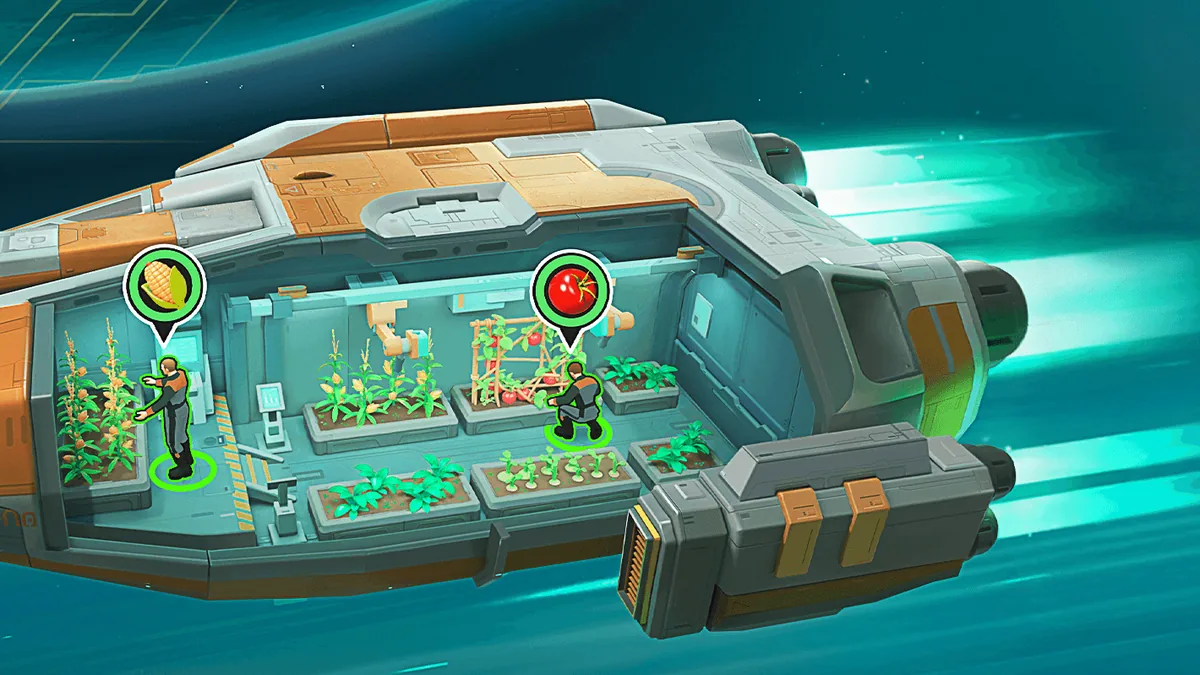
Gameplay: What You Actually Do
Foundation: Galactic Frontier gameplay explained: mothership building, fleets on the galaxy map, three-champion ground battles, guilds, PvP and spending.

Release Date: Mobile and Steam
Foundation: Galactic Frontier release date on every platform: App Store 1.0.0 in October 2025, Steam in November 2026, the timeline and updates since then.

Steam Account Linking and Sync
Foundation: Galactic Frontier Steam account: the Google, Facebook or Discord login, why mobile accounts don't load on Steam yet, and what players do instead.